Quality management

Opcela Quality

A tag value meets a condition, a workflow runs, and a named person is asked to approve. You set all of it up on screen.

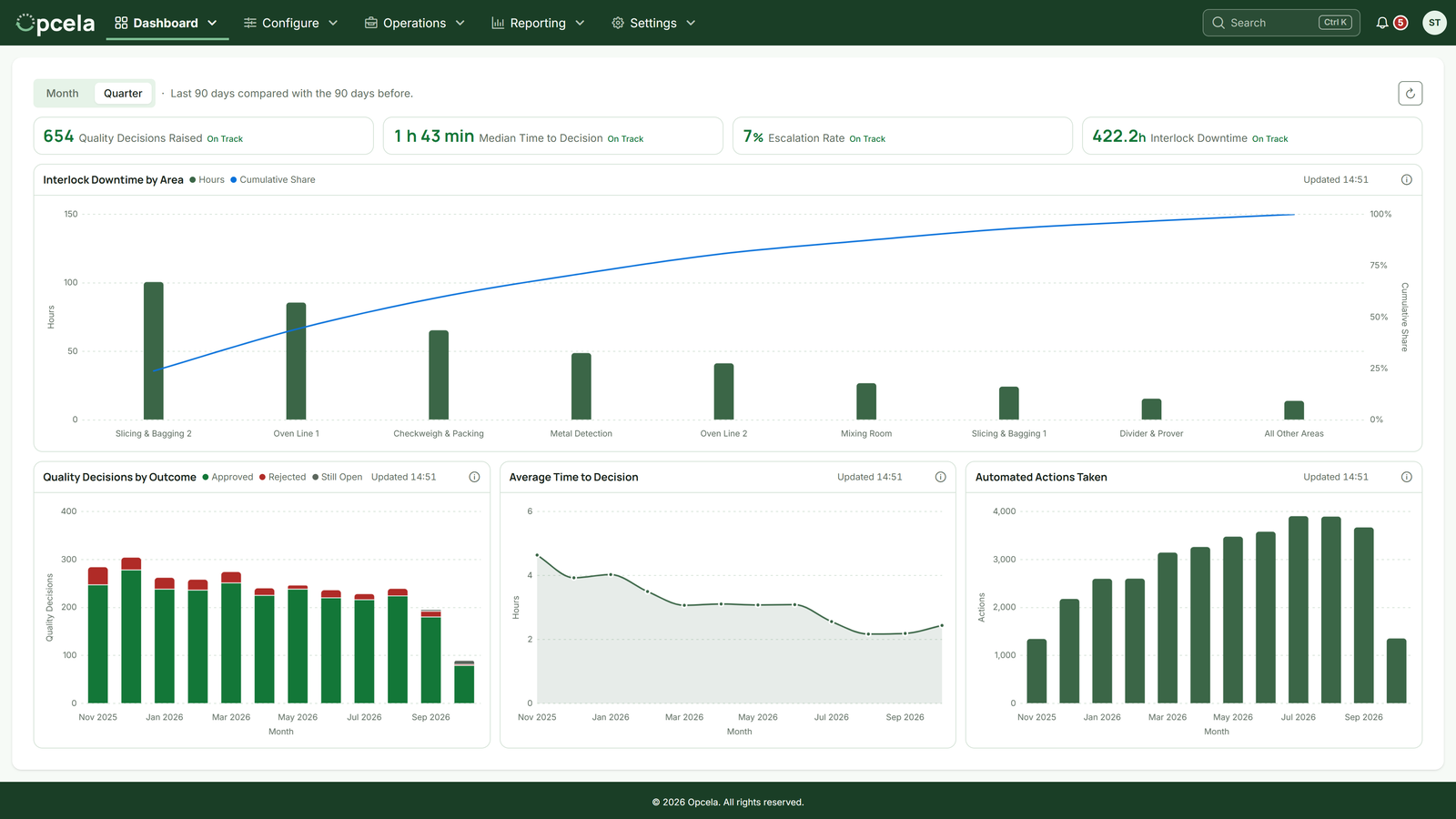
An illustration of the Opcela Quality dashboard, drawn to the product's own layout and filled with example data: four figures across the top, an approval volume chart and a downtime chart, and lists of stale tags and approvals waiting

What it does

Opcela Quality subscribes to tag values on your OPC-UA servers, one or more of them at once, and watches for the conditions you have set. When those conditions are met, a workflow runs. It can raise an approval for a named person, and it can write a value back to a tag to hold an interlock.

The servers, the tags, the conditions and the workflows are all set up on screen, by the people who run the plant rather than by a developer. Tags are found by browsing the server and picked from a list rather than typed in by hand.

The picture above is an illustration of the dashboard, drawn to the product's own layout and filled with example data.

Who gets told

An approval goes out by email, SMS or WhatsApp, on whichever of the three it is set to use. At least one is picked deliberately, because none is picked for you. A person's mobile number and WhatsApp number sit on their own profile, so each channel goes to the number that person gave.

Reminders and escalation are switches you turn on. A reminder repeats at an interval you set until the approval is resolved, and an escalation hands it to a second named person after a timeout. The wording of every email and SMS is yours. A default sits in settings, and any workflow that needs different words overrides it, with nothing redeployed.

Reporting and dashboards

A dashboard shows the live state: what is connected, which tags have gone quiet, and which approvals are waiting. Reports on process trends, on how the automation is performing and on how long approvals take are generated when you ask for them, as PDFs. So is a signoff certificate for any resolved approval, recording who decided what against the values the process was running at.

Behind all of it is an audit trail that is immutable and append-only, holding configuration and record changes and every event in an approval's life. Nothing in the application edits or deletes an entry.

Security and access

Opcela Quality runs on your own hardware, as containers, one tenant per deployment. Access is role-based, and the permissions are per action: reading, creating and editing each kind of thing are separate, so somebody can be given the ability to reassign an approval without the ability to change the workflow that raised it.

Signing in is protected against repeated password guessing, access tokens are short lived, and the refresh tokens behind them are held on the server and can be revoked at any time.

Where to go next